Someone Is Using My Username Online: What to Do Step by Step
Finding out someone is using your username on social media or other platforms is unsettling. It may be harmless, someone who happened to…
By Ayan Malik · Builder and writer, WhatsMyName App
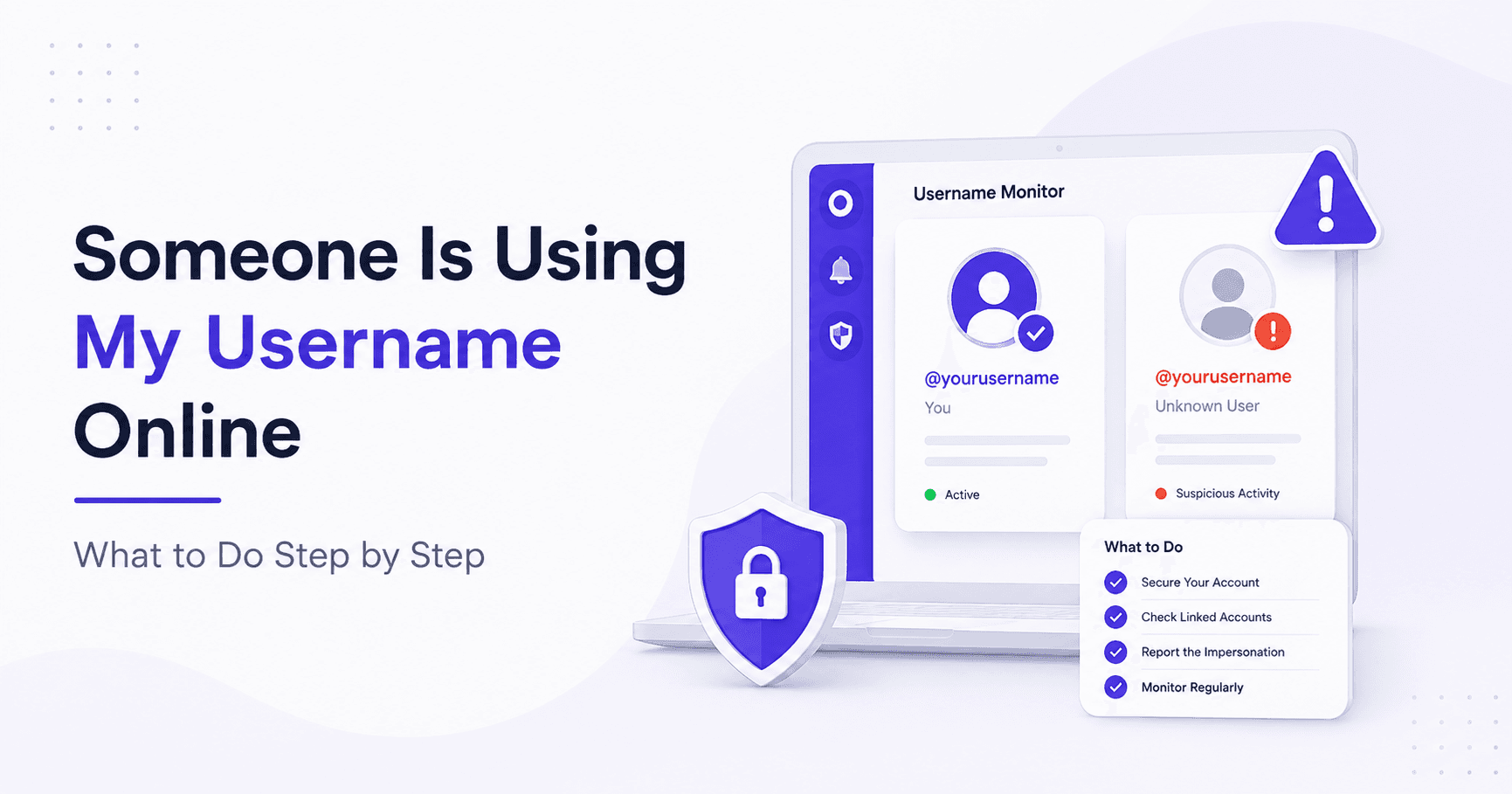
Finding out someone is using your username on social media or other platforms is unsettling. It may be harmless, someone who happened to pick the same handle, or it may be active impersonation designed to deceive your audience, damage your reputation, or run scams in your name.
This guide walks through exactly what to do, in the right order, depending on what you find.
Step 1: Find All Platforms Where Your Username Is Being Used
Before you can act, you need to know the full extent of the problem. Checking one or two platforms manually is not enough. Someone impersonating you is likely doing it across multiple sites.
The fastest way to find every platform where your username appears is to run a search in WhatsMyName App. Enter your username and the tool checks 732 platforms simultaneously, returning real-time results with direct links to every found account.
This takes under 90 seconds and shows you the complete picture across social media, gaming, forums, dating sites, coding communities, and more in one search.
What to look for in the results:
Go through every found account. For each one, ask:
- Did I create this account?
- Does the profile photo look like me or use my images?
- Does the bio match my real information?
- Is the account posting content or interacting with people?
- Is the account inactive and empty, or is someone actively using it?
Accounts you created yourself are not a concern. Empty accounts that happen to share your username and show no connection to you are likely just coincidence. The ones to focus on are accounts that use your real name, photos, bio details, or content to impersonate you.
For a full guide on running the search and reading results, read how to use WhatsMyName App.
Step 2: Understand What Type of Situation You Are Dealing With
Not every case of someone using your username is the same. The right response depends on the situation.
Coincidence, same username, different person
The most common situation. Someone else picked the same username independently. They have no connection to you. Their profile photo and bio have nothing to do with you. This is not impersonation and does not require urgent action. You may want to note the platforms where your username is taken so you can adjust your own handles or claim available variations.
Username squatting, inactive account, no activity
An old or inactive account sitting on your preferred username with no connection to you. Not impersonation. Options here are to contact the platform to check their inactive account policy, or use a variation of your username on that platform. Some platforms reclaim inactive usernames after a period of time.
Impersonation, actively pretending to be you
An account using your real name, photos, bio, or content to present itself as you. This is the situation that requires action. The account may be sending messages to your audience, promoting scams, posting content that damages your reputation, or deceiving people who know you.
Brand impersonation, using your business name or handle
An account impersonating your business, brand, or creative identity rather than your personal identity. The reporting and legal options here are broader if you have a registered trademark, but the immediate steps are the same as personal impersonation.
Step 3: Document Everything Before You Report
This step is critical and most people skip it. Report first, document second is the wrong order. Once you submit a report, the platform may remove the account within hours. If that happens, your evidence is gone.
Before reporting anything, document the following for each fake account:
Take screenshots of:
- The profile page showing the username, display name, profile photo, and bio
- The full profile URL visible in the browser address bar
- Any posts, messages, or content the account has published
- Any interactions the account has had, replies, comments, or messages sent to others
- The date and time of each screenshot
Record the account details in writing:
- The exact username of the fake account
- The direct URL to the profile
- The platform name
- A brief description of how the account is impersonating you
- Any evidence that the account has contacted your followers, customers, or contacts
Store your screenshots in a dedicated folder. If the impersonation escalates to a legal matter, this documentation becomes important.
Step 4: Report the Account on Each Platform
Every major platform has a process for reporting impersonation. Here is how to do it on the platforms most likely to be affected.
Go to the fake profile. Tap the three dots in the top right corner and select Report. Choose It's inappropriate, then Pretending to be someone, then Me. Instagram may ask you to confirm your identity with a government-issued ID for impersonation reports.
If you do not have an Instagram account, you can still report through Instagram's dedicated impersonation form at help.instagram.com.
Go to the fake profile. Click the three dots below the cover photo and select Find support or report profile. Choose Pretending to be someone, then Me. Facebook allows reports even from people without a Facebook account using their Help Center contact form.
TikTok
Go to the fake profile. Tap the three dots in the top right corner. Tap Report, then select the impersonation option. For US-based reports, TikTok has a dedicated impersonation reporting form where you can upload a valid government ID to verify your identity.
Twitter / X
Go to the fake profile. Click the three dots next to the Follow button. Select Report. Choose Impersonation, then Specific account. You will be asked to confirm which account is being impersonated.
Go to the fake profile. Click the three dots on the profile and select Report. Choose Fake profile or Impersonation.
YouTube
Go to the fake channel. Click the three dots next to the Subscribe button. Select Report user. Choose Spam or misleading, then Impersonation.
Go to the fake profile. Click the three dots on the profile page. Select Report. Choose Impersonating a person or brand.
General process for any platform:
If you cannot find a specific impersonation report option, look for a general Report option on the profile and select the most relevant category. Include the fake account username, a link to your real account, and a brief description of how the account is impersonating you. Attach screenshots if the reporting form allows it.
Important note on response times: Platform review times vary significantly. Instagram and Facebook often resolve clear impersonation cases within 24 to 48 hours. TikTok and Twitter can take several days. Some platforms may ask for additional verification including government-issued ID to confirm you are the person being impersonated.
Step 5: Warn Your Audience
While waiting for the platform to act, contact the people who follow or interact with you and let them know about the fake account.
If you are active on the platform being impersonated, post a clear message from your real account:
"There is a fake account using my username [username] on [platform]. I have reported it. This is my only official account. Do not respond to messages from the fake account or follow it."
If the fake account has already messaged your followers or customers, warn them individually if you can identify who has been contacted.
For business impersonation, consider sending an email to your customer list or posting a notice on your official website explaining the situation.
Step 6: Strengthen Your Presence on Vulnerable Platforms
After handling the immediate situation, take steps to make future impersonation harder.
Claim your username on platforms where you are not active. Many platforms allow you to register an account even if you never use it. Owning your username on platforms you do not actively use prevents others from claiming it. Use a password manager to store the credentials for accounts you create but rarely log into.
Enable two-factor authentication on all your existing accounts. This does not prevent someone else from creating a new account with your username, but it prevents them from taking over your actual existing accounts.
Request verification badges where available. Instagram, TikTok, Twitter, YouTube, and Facebook all have verification programs for public figures, creators, and brands. Verification does not prevent impersonation accounts from being created, but it makes your real account clearly identifiable as the authentic one, which reduces the effectiveness of impersonation attempts.
Set up Google Alerts for your username. Go to google.com/alerts and create an alert for your exact username in quotation marks. You will receive email notifications when your username appears in new Google-indexed content, which can alert you to new impersonation accounts or mentions you were not aware of.
Run a WhatsMyName App search on your username every few months. Make it a routine check. Username squatting and impersonation accounts are often created without any immediate obvious activity. A quarterly check catches new accounts early before they can build a following or cause damage.
Step 7: Escalate if the Platform Does Not Act
If you have reported the account and the platform has not taken action within a reasonable time, you have additional options.
Submit a follow-up report. Many platforms allow you to resubmit a report or appeal a previous decision. Reference your original report and provide any additional evidence you have collected.
Use the platform's legal request process. Most major platforms have a dedicated legal or intellectual property team that handles impersonation complaints that have not been resolved through the standard reporting process. For trademark holders, the process is more formal and typically faster.
Contact a lawyer if the impersonation is causing real harm. If the fake account is damaging your business, defaming you, running financial scams using your identity, or you are being stalked or harassed, this may constitute identity theft, fraud, or defamation depending on your jurisdiction. A lawyer who handles internet law or cyber harassment cases can advise on your options including cease and desist letters and legal action against the platform or the person behind the account.
File a police report if criminal activity is involved. If the impersonation account is being used to solicit money from your contacts, is connected to fraud, or you are being threatened, file a report with your local police. In many jurisdictions, identity theft and impersonation online are criminal offenses.
How to Prevent This From Happening Again
Run regular username searches. Use WhatsMyName App every few months to check where your username appears. Early detection means early action.
Claim your username on platforms you do not actively use. Even a blank account is better than leaving your username available for someone else to take.
Keep your real accounts clearly identifiable. Complete bios, profile photos, and consistent cross-platform linking make it obvious to your audience which accounts are genuinely yours.
Do not share personal details that make impersonation easier. Impersonators use your own public information against you. Review what personal details are visible on your public profiles and remove anything you do not need to share.
Frequently Asked Questions
How do I find all the places someone is using my username?
Run your username through WhatsMyName App. It checks 732 platforms simultaneously and returns direct links to every found account in under 90 seconds. This is the fastest way to see the full picture without checking every platform manually.
Is it illegal for someone to use my username online?
It depends on what they are doing with it. Using the same username coincidentally is not illegal. Actively impersonating you to deceive others, run scams, or damage your reputation may constitute identity theft, fraud, or defamation depending on your jurisdiction and the severity of the harm caused.
How long does it take platforms to remove fake accounts?
It varies. Instagram and Facebook often resolve clear impersonation reports within 24 to 48 hours. Other platforms can take several days to a week. Providing a government-issued ID and detailed evidence speeds up the process on most platforms.
Can I report a fake account if I do not have an account on that platform?
Yes. Instagram, Facebook, and TikTok all have reporting forms that do not require you to be logged in or have an account on the platform. Look for the Help Center or Contact Support section of each platform.
What if the fake account is using my photos?
This may also be a copyright violation in addition to impersonation. Most platforms have a separate process for reporting unauthorized use of images. You can submit both an impersonation report and a copyright report simultaneously on most major platforms.
What should I do if the platform says my report was not approved?
Resubmit with more specific evidence. Include screenshots, direct URLs, and a clear explanation of how the account is impersonating you specifically. If standard reporting fails, look for the platform's legal or intellectual property team contact process.
Does WhatsMyName App tell me who is behind the fake account?
No. WhatsMyName App shows you where a username exists across platforms and links directly to each found profile. It does not identify the person behind an account. Identifying someone from a fake account typically requires platform cooperation or legal process.
Start by finding every platform where your username appears. Run a search with WhatsMyName App and get a full picture in under 90 seconds.
Written by
Ayan MalikBuilder and writer, WhatsMyName App
Ayan Malik builds and maintains the username search interface on this site, and writes the guides published here on OSINT, username research and digital privacy.
More from Ayan MalikTry the username lookup tool
Search 732+ platforms in seconds, free, no sign-up required.
WhatsMyName AppRelated Posts
 OSINT
OSINTHow to Search a WhatsApp Username (And What Actually Works)
WhatsApp launched usernames in 2026 with no public directory and no search, on purpose. Here is what a WhatsApp handle really tells you, and what works instead.
 OSINT
OSINTFree Digital Footprint Checker: Search 732 Platforms by Username
Check your digital footprint free by username. WhatsMyName App scans 732 platforms and shows every account registered under your handle in under 90 seconds.